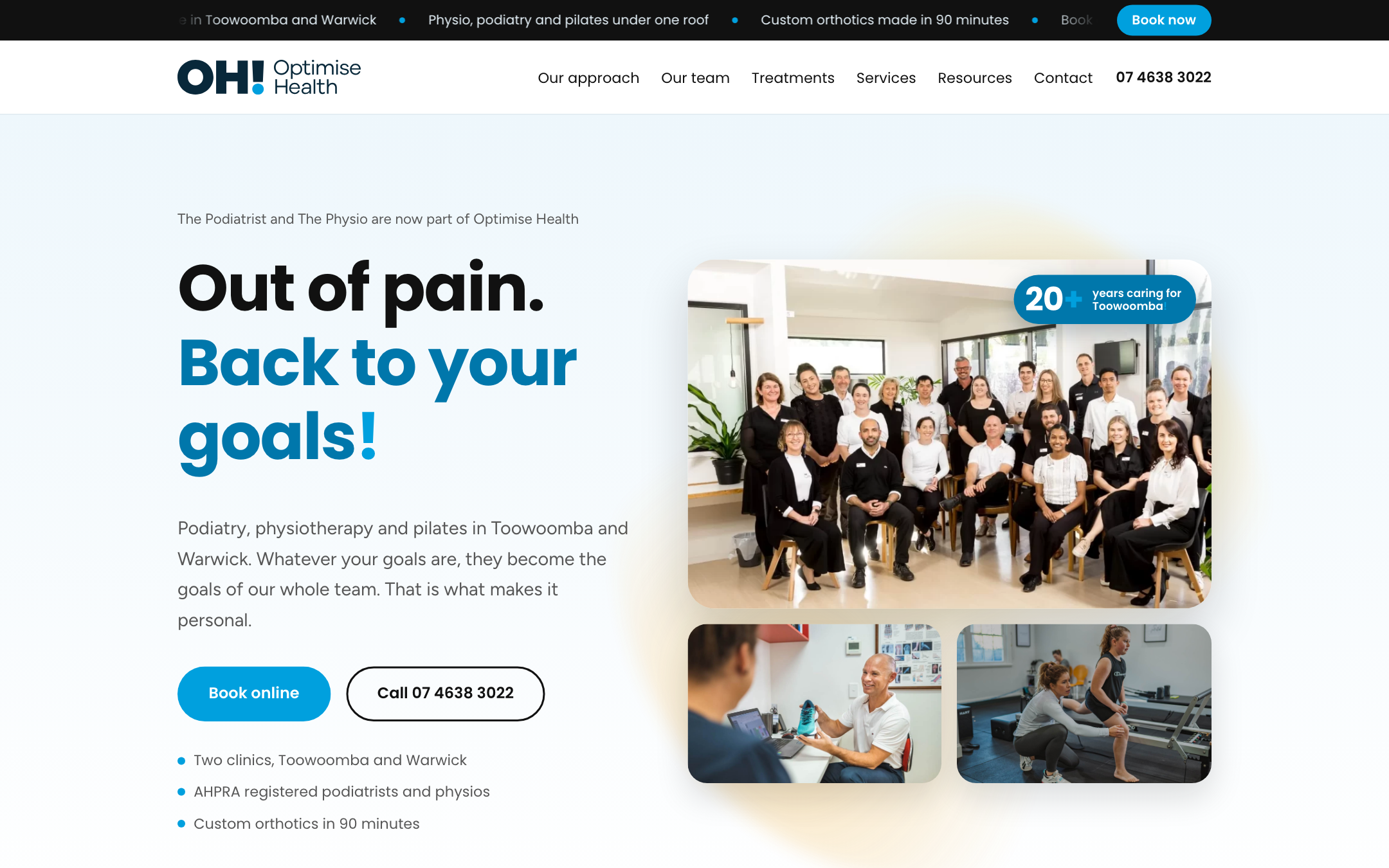
Optimise Health: a website built for people and for agents.
A presentation for Troy Parsons and the board of Optimise Health.
Presented by Ben Carter, founder, Yoonet and ube
Patients now ask an AI assistant as well as a search engine, and the assistant reads your website for them.
A patient asks
"Who treats heel pain near me, and can I book this week?"
An assistant goes looking
Google AI Overviews, ChatGPT, Perplexity, and voice and booking agents.
It reads clinic websites
Then it answers in its own words, and names the clinics it could understand.
What an agent needs from your website
Content it can read quickly
The words arrive straight away, every time, without waiting on scripts.
Clear facts about the business
Who you are, where you are, when you are open, what you treat and how to book.
Structure it can trust
The same facts, stated the same way, on every page and in every format.
Optimise Health board presentation
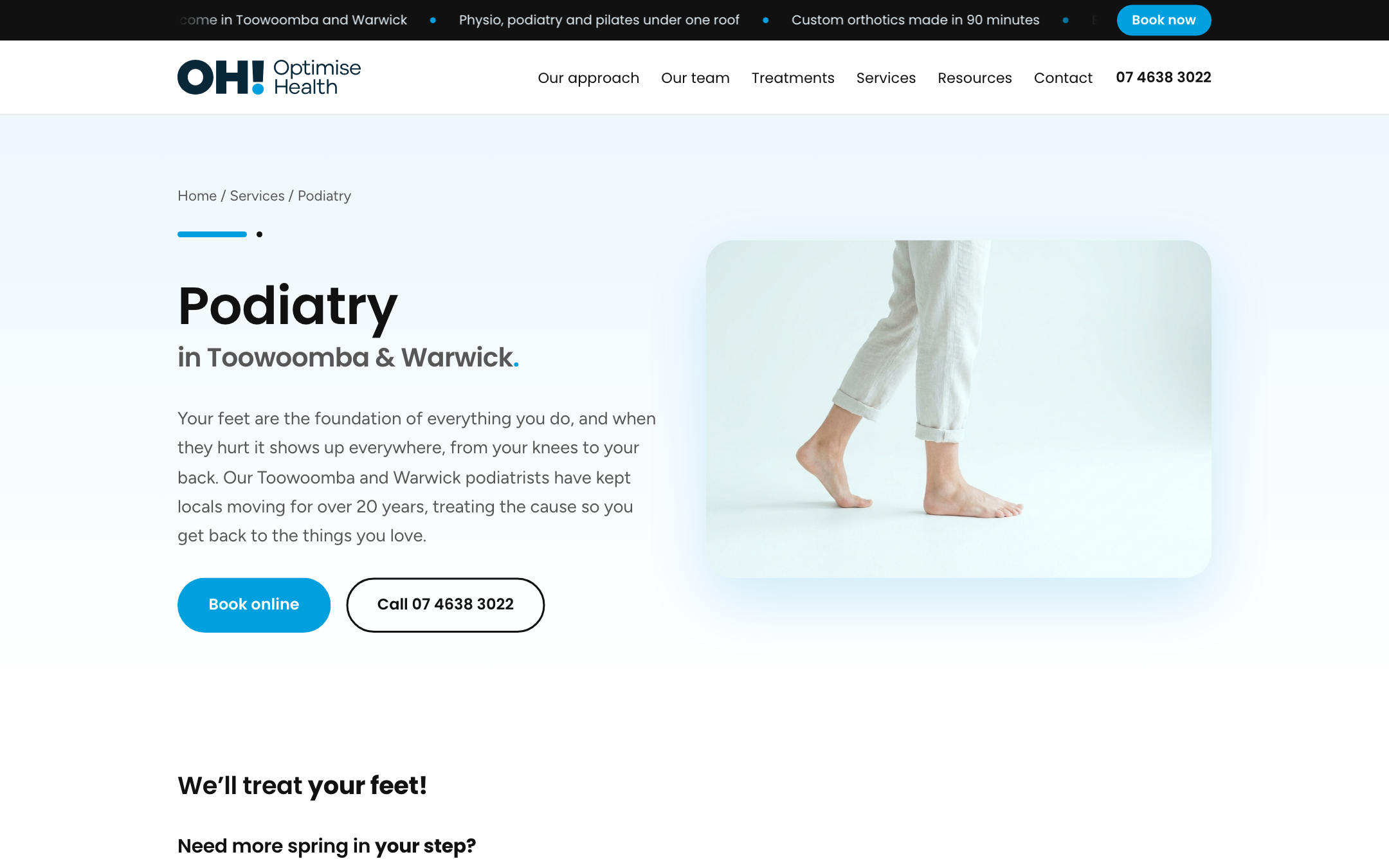
We build in Astro because the site arrives as plain, finished pages, so a crawler on a time budget gets the words first.
100
Speed score on desktop, homepage and podiatry page
87 and 96
Speed score on mobile, homepage and podiatry page
100
Search basics score on every page tested
15 KB
Of script per page, which is very little
Every one of the 387 pages is built ahead of time. Nothing has to be assembled when a visitor, or an agent, turns up.
Source: Lighthouse 13.3 run on the staging build, 10/10/2026. Scores are out of 100. Built on Astro 7.
The content lives once, as structured data, and the website is only one of the ways it gets shown.
Your content, held once
6 services
15 conditions
36 treatments
27 team profiles
48 suburb pages
238 articles
Clinic facts for Toowoomba and Warwick
The website pages
What a patient sees. Built.
Facts for search engines
Clinics, hours, services and FAQs in a machine format. Built.
A summary for AI assistants
One plain text page listing everything you do. Built.
Future agent integrations
Tools that query your content directly. Planned.
To be precise: this is not the only route to being visible to agents. It makes staying agent ready cheaper and faster, because one change feeds every channel and nothing has to be rebuilt.
Counts are taken from the Optimise Health website repository, 10/10/2026.
Sanity is the editing room, where your team changes a practitioner or a service in a form and every channel follows.
Practitioner
Name, role, photo, page address, search title, search description, share image and the profile itself.
Model written, in the repository
Service
Title, page address, search title, search description, share image and the page content.
Model written, in the repository
Location
Address, phone, hours and map position for Toowoomba and Warwick sit in the site settings today, not in Sanity.
Sanity model planned
Structured models. A practitioner is a record with fields, not a blob of page.
An editor your team can use. Forms, not code.
Version history. Who changed what, and a way back.
An open door for tools. Agents can query the content directly.
Where this stands today: Sanity is wired into the build but not switched on. The site currently publishes from content files we maintain. The trade off when it is on: one more login for your team, and a hosted service you rely on.
Six Sanity models exist in the repository: resource post, treatment, condition, service, team member and career. Sanity 6.
On your homepage a patient starts with what hurts, and the site already knows who treats it.
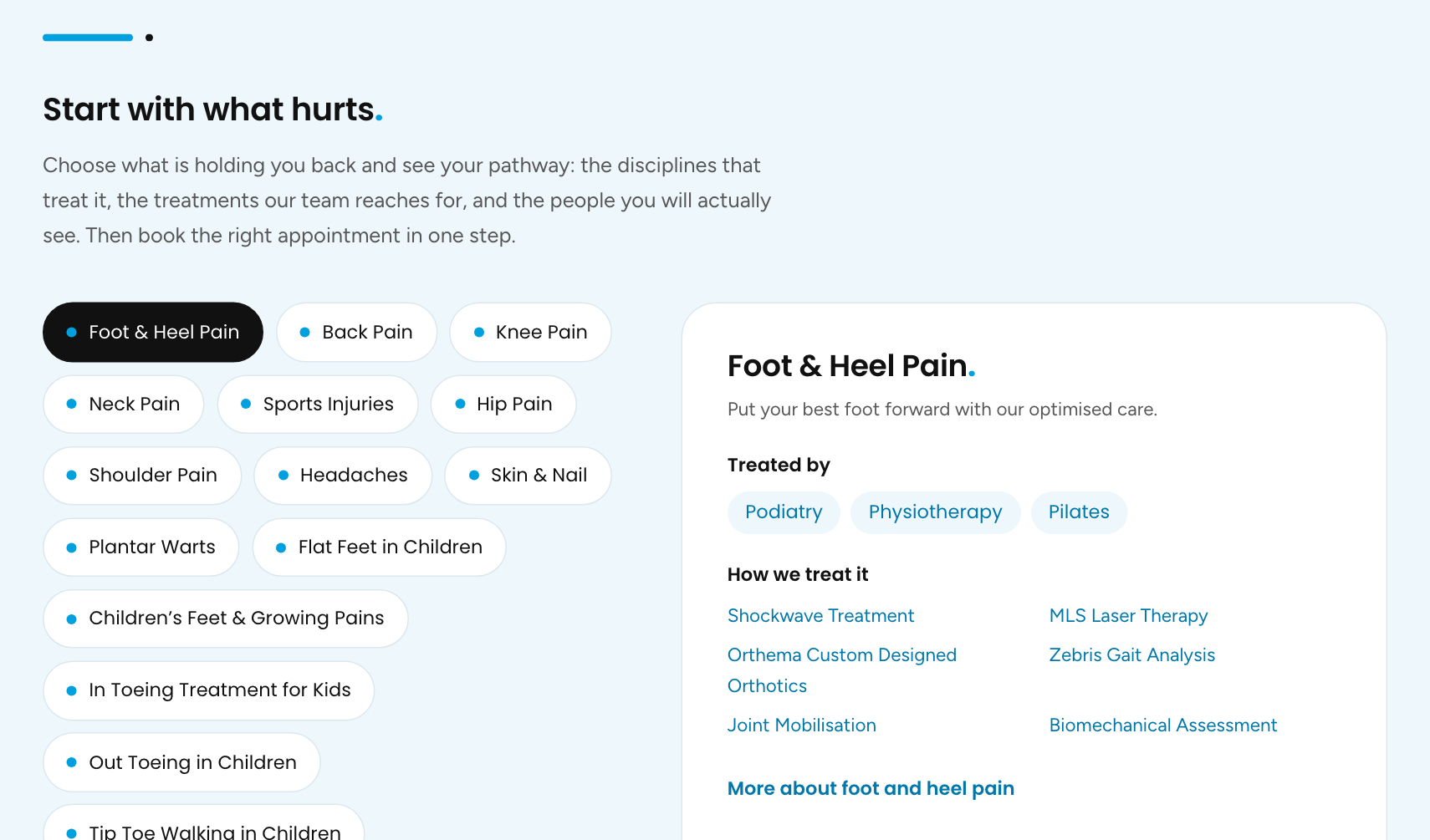
One map of the clinic
Each condition is linked to the disciplines that treat it, the treatments used and the people who deliver them.
Every link is a real page
Podiatry, Shockwave Treatment and each practitioner have their own page with one clear subject.
Booking stays in Cliniko
The site passes the patient to your existing booking page with the right appointment type chosen.
Screenshot: Optimise Health staging build, 10/10/2026.
Underneath the pages sit the same facts written for machines, and this is what an AI assistant is handed.
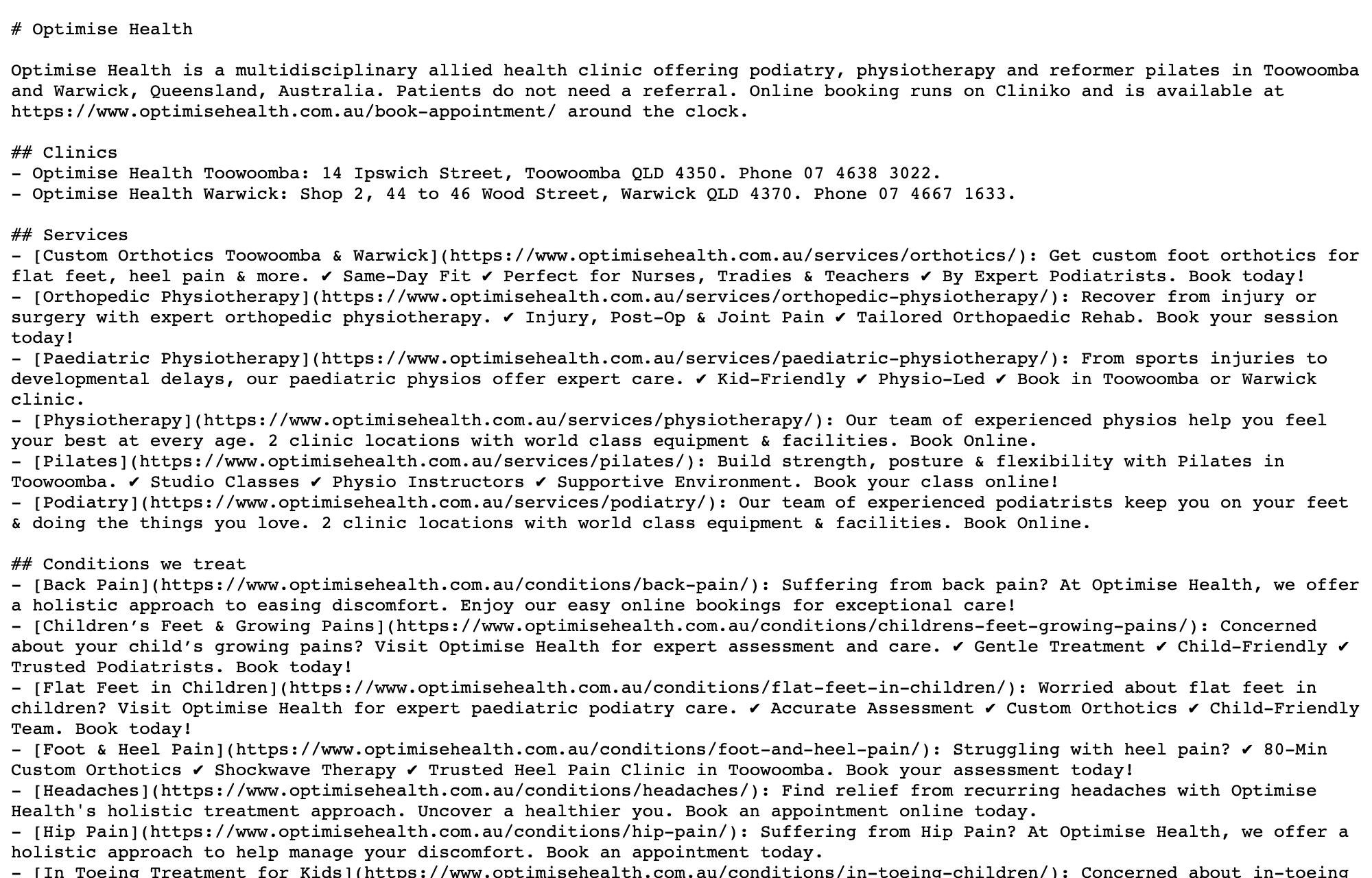
A summary page for assistants
Clinics, services, conditions, treatments and team, each in one line. Built.
Clinic facts in search engine format
Both clinics with address, map position and hours on the homepage. Services, FAQs and page trails on service pages. Built.
A welcome note for AI crawlers
The crawlers from OpenAI, Anthropic, Perplexity and Google are named and allowed in. Built.
The same on every profile page
Machine format on practitioner, condition and treatment pages. Planned.
Screenshot: the llms.txt page on the Optimise Health staging build, 10/10/2026.
Our search work is done with AI support and run by people, and we report only what we can attribute.
Technical health
The site is checked on a schedule for broken pages, slow pages and anything a crawler would trip on. An agent does the checking. A person decides what to fix.
Local presence
Toowoomba and Warwick each need the same name, address, phone and hours everywhere they appear, starting with Google Business Profile.
Content that answers real questions
Pages written around what patients actually ask, drafted with AI support and approved by your clinicians before anything is published.
Tracking both kinds of result
Where you rank for the searches we agree on, and whether Google's AI Overviews cite you for them, reported each month.
We do not guarantee rankings or citations. Nobody honestly can. We measure what we can attribute and we tell you when the answer is that we do not know yet.
Optimise Health is not yet set up in our search tracking. That begins at go live.
Every build runs on a checklist you can open, so you can see where your site is on any given day.
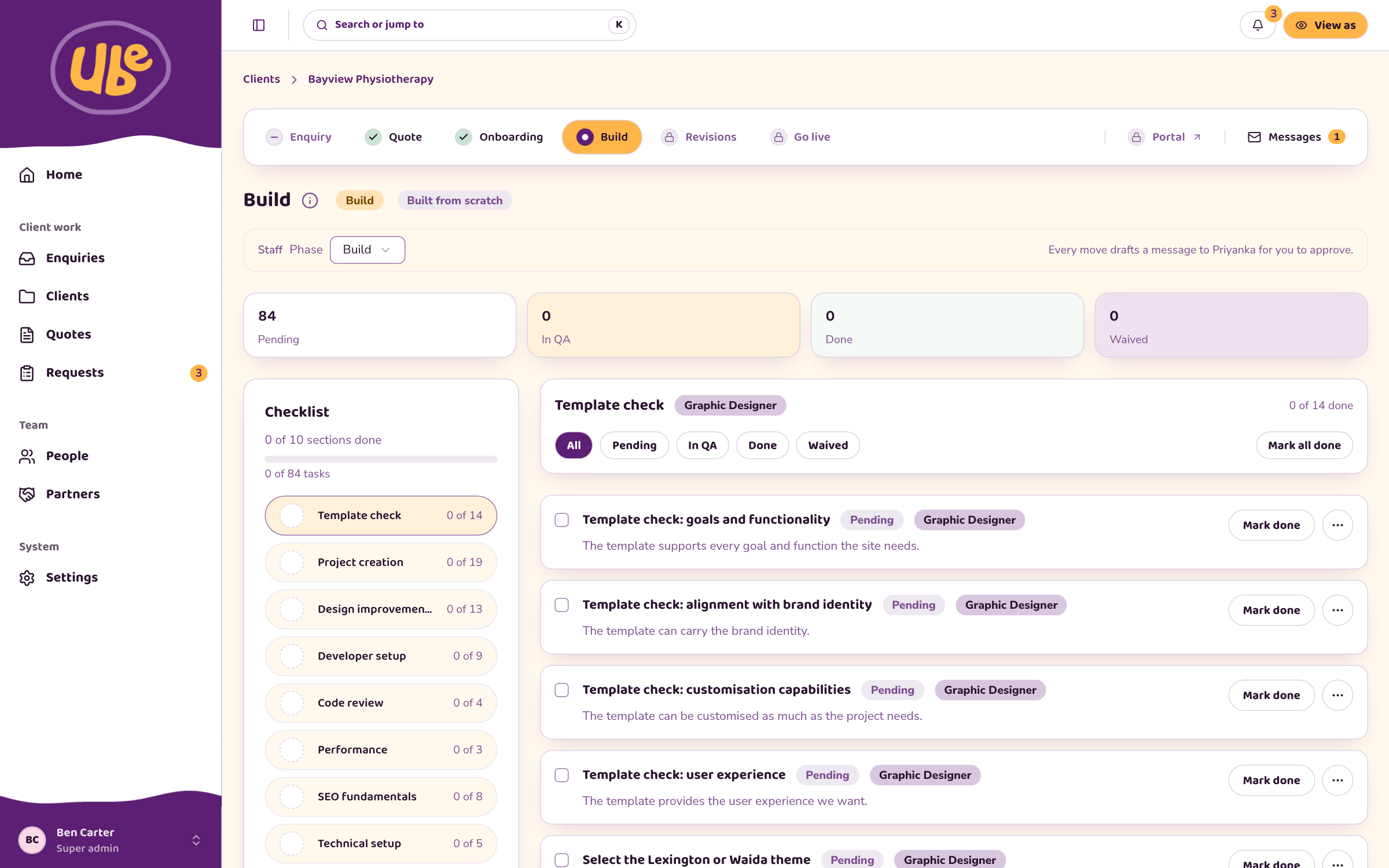
Six stages along the top
Enquiry, quote, onboarding, build, revisions and go live. You always know which one you are in.
Every task has an owner
Each line names the role responsible and is marked pending, in checking, or done.
Speed and search are on the list
Performance, search fundamentals and code review are sections of the checklist, not afterthoughts.
Screenshot: the ube dashboard running on demonstration data. Bayview Physiotherapy is an invented client.
When Troy's team wants something changed, it goes in through a short form rather than an email thread.
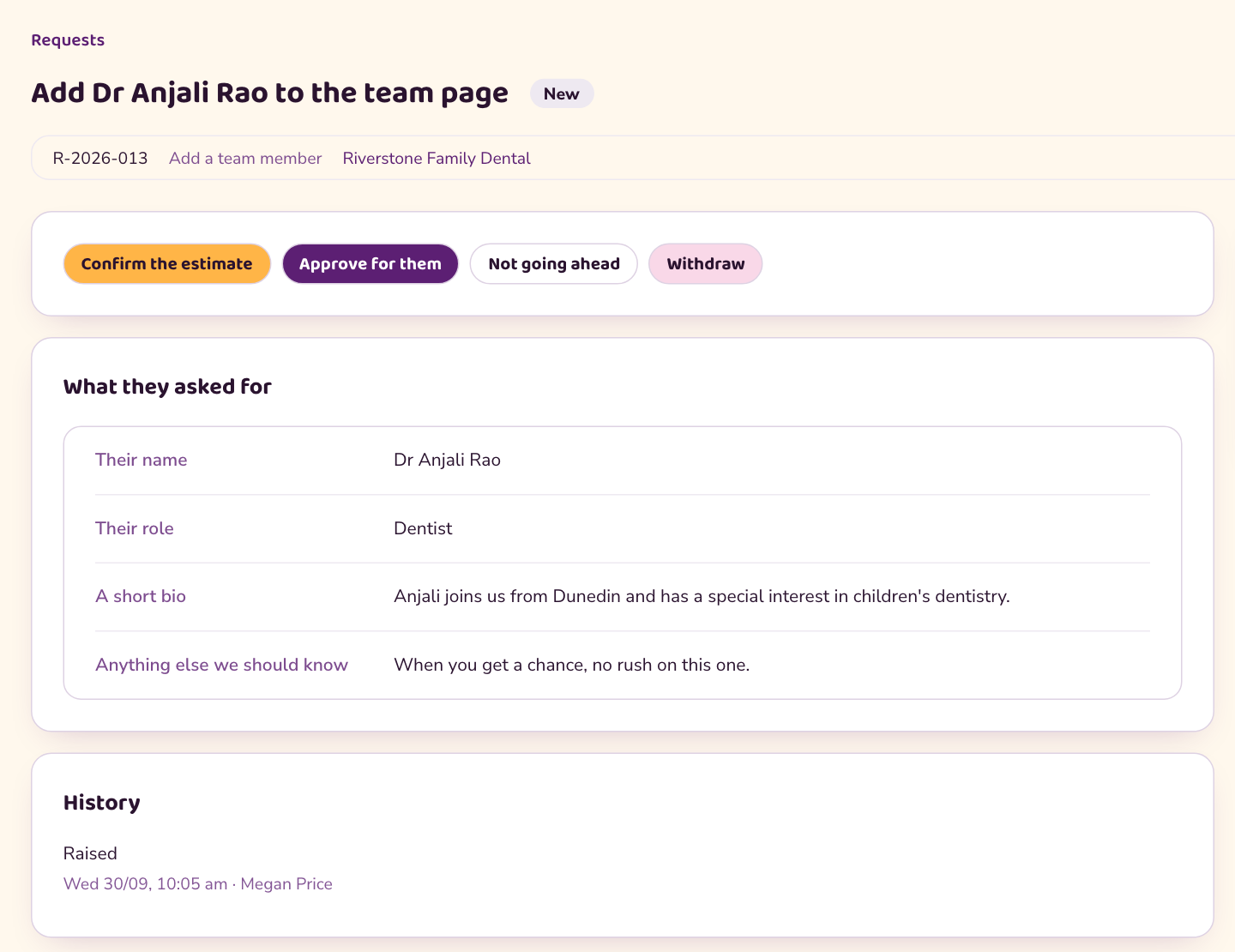
The form asks the right questions
Adding a team member asks for a name, a role and a short bio. Nothing is left to be chased later.
You see the time before you say yes
We confirm how long it usually takes, and nothing starts until someone on your side approves it.
Every request keeps its history
Who raised it, when, what was said and what was done, in one place.
Screenshot: the ube dashboard on demonstration data, with the estimate panel cropped out. Riverstone Family Dental is an invented client.
A request travels from your team to a live change in five steps, and you can see which step it is on.
1. Raised
Your team fills in the form in the portal.
2. Confirmed
We confirm the time it will take.
3. Approved
You say yes. Nothing starts before this.
4. In progress
We make the change and check it.
5. Live
Done, and listed in that month's report.
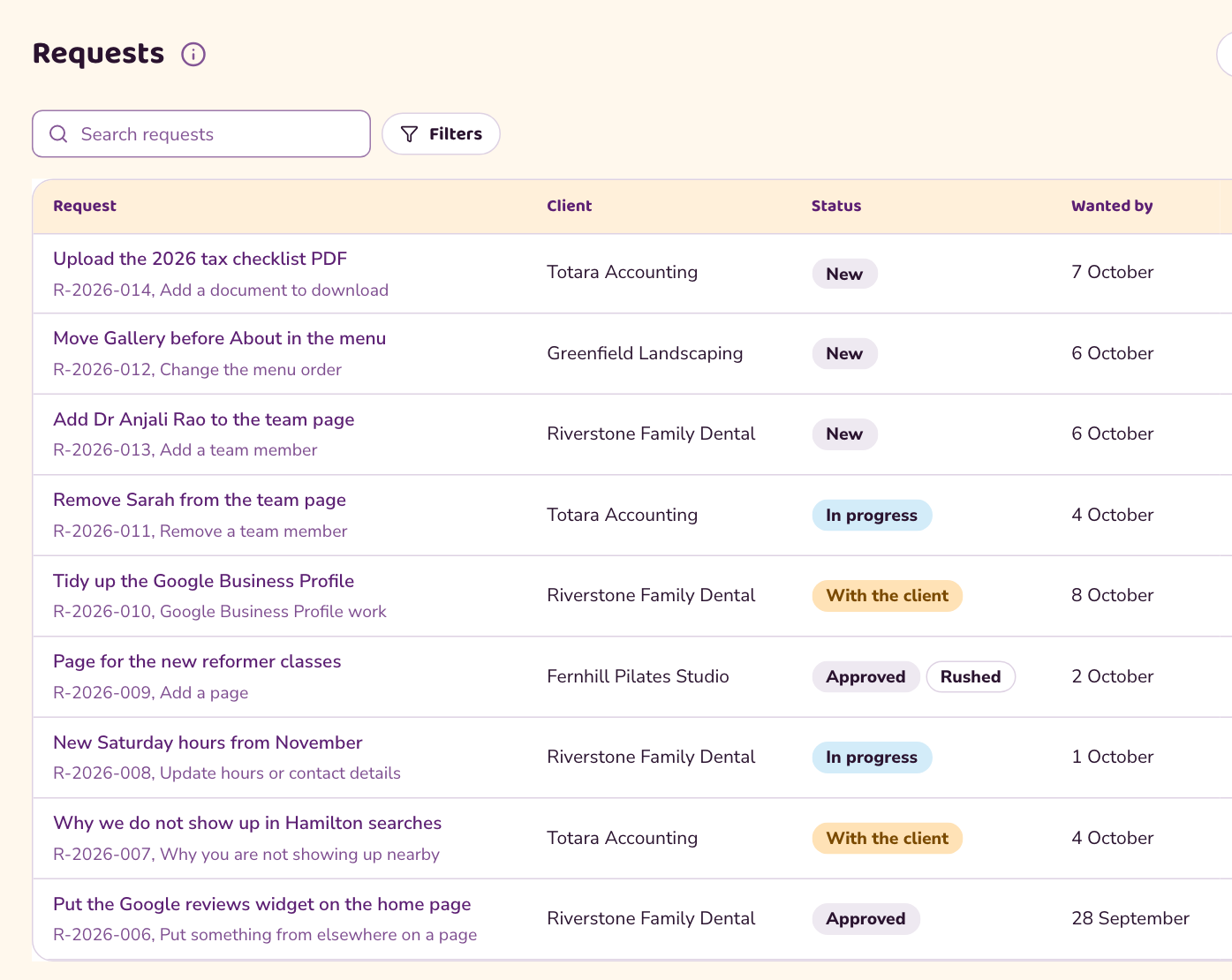
The list on the left is what our team works from each morning. Every request shows who asked, the date it is wanted by, and where it has got to.
"With the client" means we are waiting on you for something, and it says so, rather than the request going quiet.
Screenshot: the ube dashboard on demonstration data, with the estimate column cropped out. The clients shown are invented.
Once you are live, one sign in shows how the site is doing, what you have asked for and what we have noticed.
Your portal
Signed in by a link sent to your email. You see Optimise Health and nothing else.
Site health
The monitoring checks and whether each one is passing.
Requests
Open and closed, with their history, and the form to raise a new one.
Monthly reports
Search performance, rankings and AI Overviews, month by month.
Insights
Things we noticed while working on your site, which you can take up or leave.
Knowledge base
289 questions clients ask us, with plain answers, searchable by topic.
The portal is live for other clients today. Optimise Health is added at go live, which is why there is no screenshot of yours on this slide.
The team is in two places and works as one, with the relationship held in Dunedin and the delivery in Balanga City.
Dunedin, New Zealand
Ben
Founder. Strategy and your relationship with us.
Gav
Managing Director. Commercial, finance and legal.
One shared dashboard, one set of records
Balanga City, Philippines
Honey
Managing Director. Runs the team on the ground.
Em
Head of Technology
Sarah
Head of Talent
Mau
Human Resources
The ube web and search team
Designers, developers and search specialists who build and look after your site.
Yoonet has around 130 staff. ube is its web studio.
Agents do the checking, the monitoring and the drafting, and a person approves every change before it happens.
Agents do the repetitive work
Check the site's health. Watch rankings and AI answers. Draft recommendations and client messages.
A person approves
Our team reads every draft and decides. Anything that changes your site or costs you money waits for your yes as well.
The change is made and recorded
A person makes it, it is checked, and the record shows who did what and when.
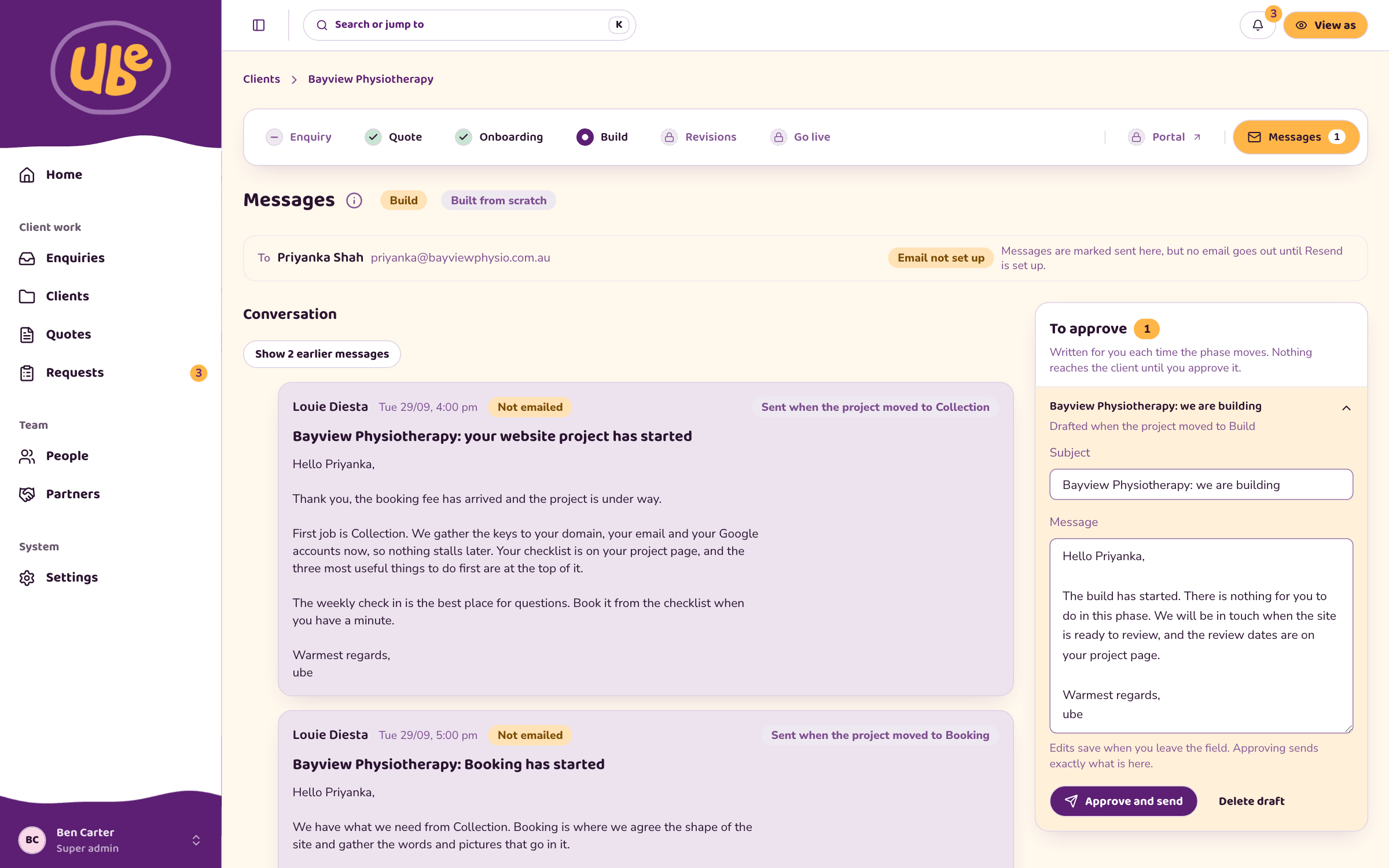
The panel on the right of the screenshot reads "To approve. Nothing reaches the client until you approve it."
Screenshot: the ube dashboard on demonstration data. Bayview Physiotherapy and Priyanka Shah are invented.
Your accounts stay yours, access is limited and logged, and none of this work touches patient data.
Client owned accounts
Your domain, analytics, search and content accounts are in your name. We are given access and you can take it back.
Access controls
Each person has a role that sets what they can see and do. A client sees only their own business.
No patient data
Bookings stay inside Cliniko. The website and the search work hold no patient records.
Change approval
Nothing changes on the site without a person approving it, and every action is logged.
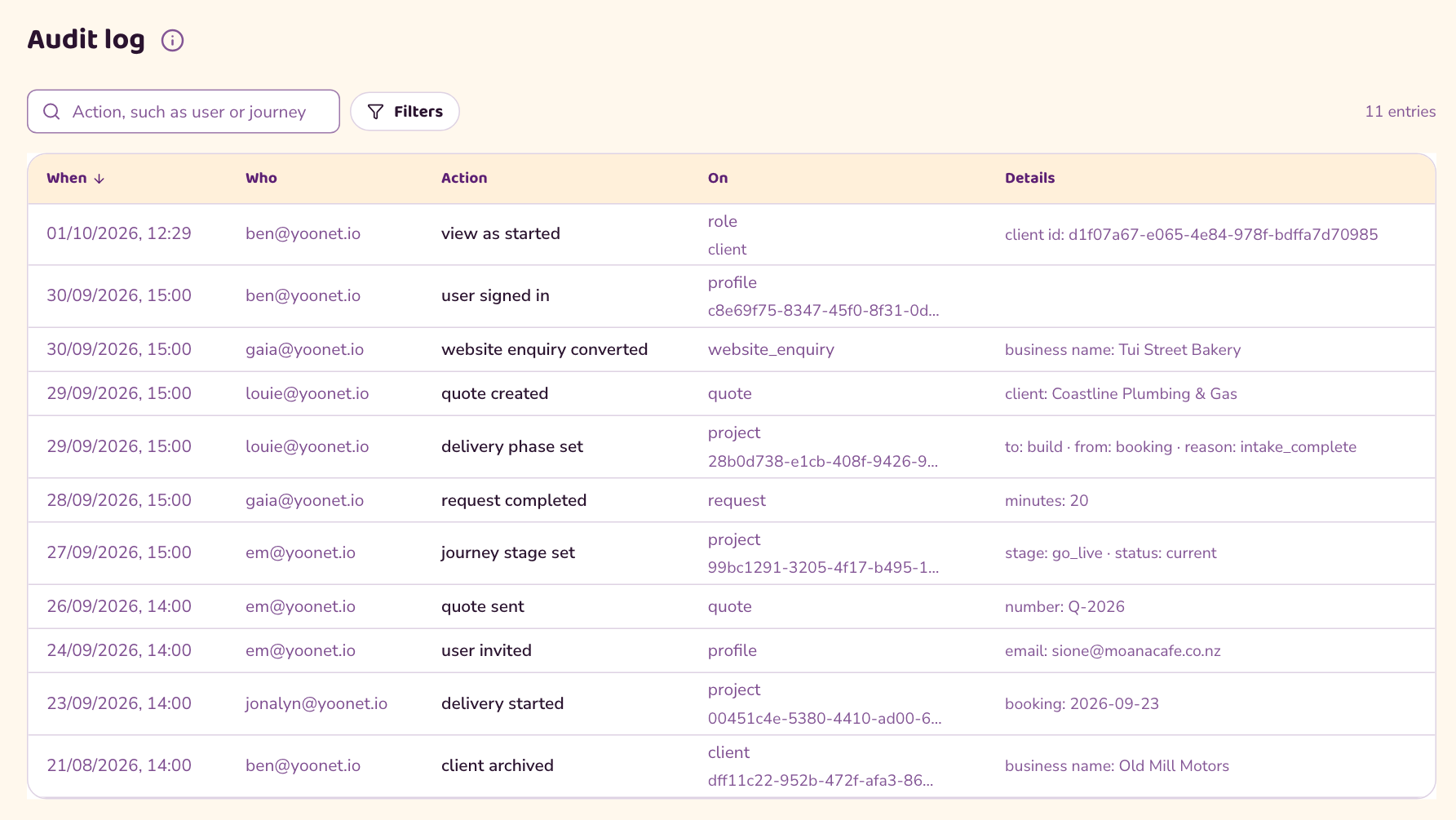
The audit log: when, who, what they did and what they did it to.
Screenshot: the ube dashboard on demonstration data. Staff names are real, client names are invented.
Next comes a planned go live, then ninety days of settling in that the board can follow month by month.
Before go live: four decisions
Whether the contact page needs a form. The redirects from old addresses. The Search Console handover. Switching Sanity on.
Go live: a booked window
A set date and time, with a checklist before, during and after the switch.
First 30 days: watch closely
Old addresses landing in the right place, Google picking up the new pages, bookings flowing as before.
Days 30 to 90: set the baseline
Agree the searches we track, record where you stand in rankings and AI answers, and send the first monthly reports.
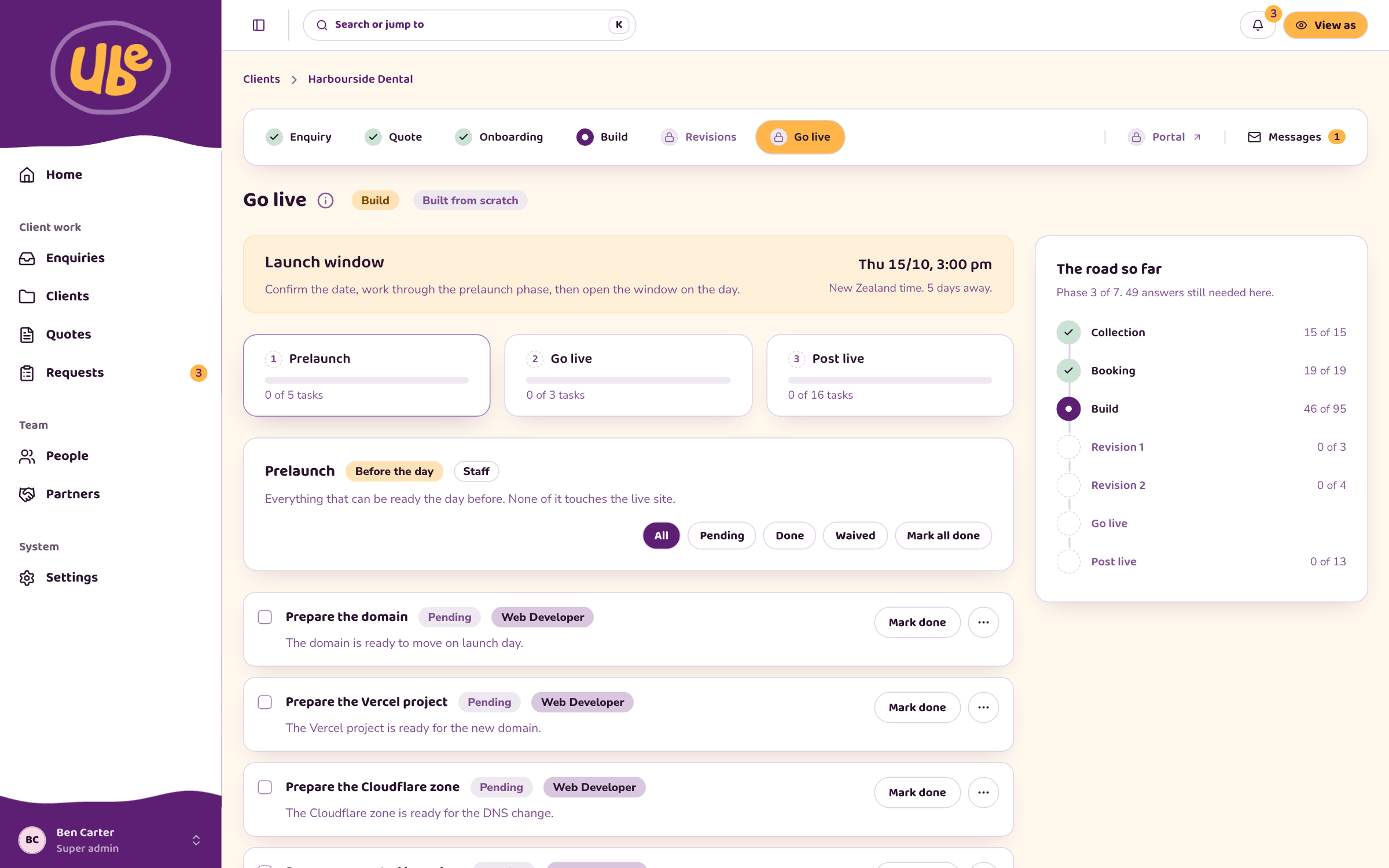
How the board sees progress: the monthly report, the portal at any time, and me in this room whenever you ask.
Screenshot: the ube dashboard on demonstration data. Harbourside Dental is invented. No go live date has been set for Optimise Health.
Thank you.
If any of you or any of the board would like to catch up to discuss this, here's my link.
calendly.com/ben_carter/60-minute-discovery-call
Ben Carter, founder, Yoonet and ube